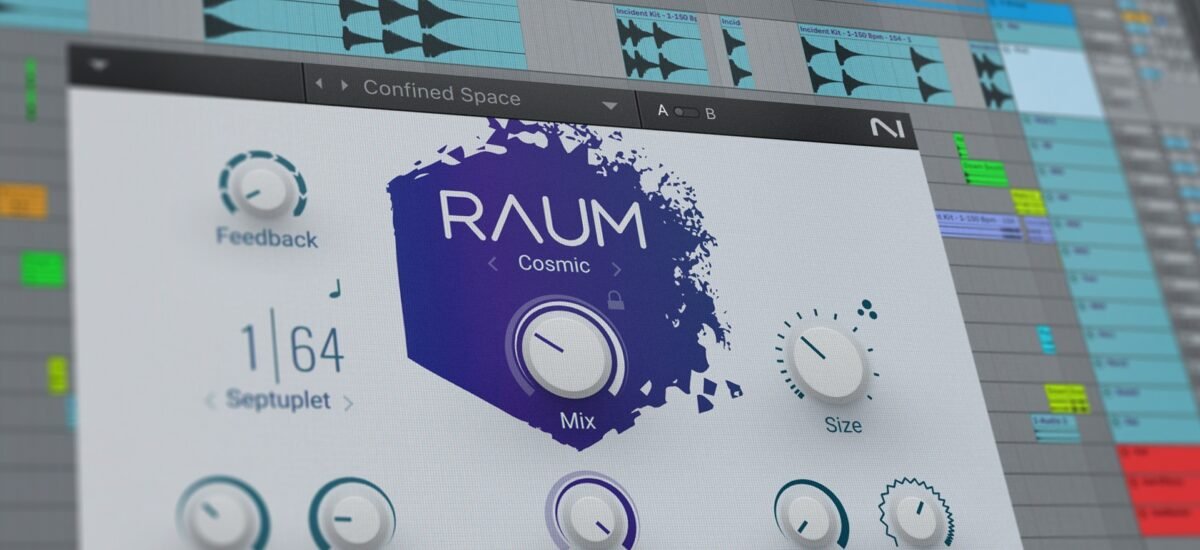
Imagine the opening shot of a film: a vast, desolate landscape, bathed in twilight. What do you hear? Perhaps the distant wail of a siren, but not as you know it. It’s stretched, warped, and echoing into an endless abyss. This isn't just a sound; it's a feeling, a premonition, a world crafted through the magic of creative sound design with slow reverb. This potent audio effect has transcended niche appeal to become a ubiquitous tool for content creators, artists, and filmmakers looking to evoke deep emotion and atmospheric immersion. From the dreamy TikTok aesthetic to the haunting soundscapes of a psychological thriller, slowing down audio and drenching it in reverb creates an unparalleled sense of space, time, and emotional weight.
You've probably encountered this effect in countless places without realizing its simple yet profound origins. It’s the backbone of countless viral trends, the secret sauce behind lo-fi beats, and an invaluable technique for building tension or serenity in visual media. But what exactly is "slow reverb," and how can you harness its power to transform your projects from ordinary to truly cinematic? Let's dive in.
At a Glance: Crafting Your Slow Reverb Sound
- What it is: Reduces audio tempo while adding a dreamy, echo-like reverb.
- Why use it: Creates atmospheric, moody, and emotionally resonant soundscapes for cinematic content.
- Key components: Speed reduction (typically 50-100% of original) and reverb depth (0-200%).
- Process: Upload audio, choose a preset or customize settings, preview, and download.
- Accessibility: Many free, web-based tools available; no software installation needed.
- Benefits: Pitch preservation (no chipmunk effect), fast processing, high-quality output.
- Considerations: Be mindful of original song copyright when using commercial tracks.
Beyond the Hype: What is Slow Reverb, Really?
At its heart, the "slowed and reverb" effect is a two-pronged audio manipulation technique. First, the audio file's tempo is reduced, literally stretching out the sound. This isn't just playing it at a lower speed; sophisticated algorithms ensure the pitch remains largely intact, preventing the familiar "chipmunk" or "demon" voice effects of old-school slowdowns. This tempo reduction creates a sense of lingering, a feeling that time itself is expanding around the sound.
Second, a healthy dose of reverb is applied. Reverb simulates the natural echoes and reflections of sound in a physical space, making the audio feel like it's occurring in a large room, a vast cave, or an open valley. When combined with the slowed tempo, this echo becomes more pronounced, more ethereal, and infinitely more spacious. The result is an atmospheric sound that can be dreamy, melancholic, haunting, or profoundly meditative. It's an effect that doesn't just present a sound; it builds an entire environment around it.
Why Slow Reverb Works for Cinematic Moods
The human brain processes slowed, reverberated sounds differently. The extended duration gives our ears more time to absorb the sonic textures, while the reverb adds a perceived depth and distance. This combination triggers a unique psychological response, making it incredibly effective for setting cinematic moods:
- Creating Immersion: The expansive sound envelops the listener, pulling them into the world you're trying to create. It makes even simple sounds feel grander and more significant.
- Evoking Emotion: Slow tempos are often associated with sadness, introspection, and weight, while reverb can add a sense of awe, mystery, or loneliness. Blended, they become a powerful emotional accelerator.
- Building Tension: A familiar sound slowed down and echoing can become unsettling, hinting at an unseen threat or an impending revelation. Think of a slowed, reverberated heart beat in a suspense scene.
- Establishing Scale: A vast, echoing sound instantly communicates a large physical space, whether it's a cavernous hall, an empty city street, or the emptiness of space.
- Adding Nostalgia & Dreaminess: The ethereal quality of slow reverb can transport listeners to a bygone era or a dreamlike state, perfect for montage sequences or abstract visuals.
This isn't just an aesthetic choice; it’s a strategic one, allowing creators to manipulate perception and deepen engagement without relying solely on visuals.
The Core Mechanics: How Slow Reverb Transforms Audio
Understanding the nuts and bolts helps you wield this effect with precision. When you apply slow reverb to a track, you’re primarily adjusting two key parameters:
- Speed (Tempo Reduction): This parameter dictates how much the original audio's playback speed is decreased.
- Typical Range: Most tools allow speed adjustments from 50% (half the original speed) up to 100% (original speed).
- Impact: Slower speeds (e.g., 65-75%) create a more pronounced, drawn-out effect, ideal for truly atmospheric or melancholic moods. A subtle slowdown (e.g., 80-90%) can add just a touch of dreaminess without drastically altering the track's feel.
- Pitch Preservation: Modern tools are crucial here. They use sophisticated time-stretching algorithms that allow you to slow down the audio without lowering its pitch. This avoids the unnatural, distorted sound of simply reducing playback speed, ensuring the vocalists still sound like themselves, just in slow motion.
- Reverb (Echo Depth & Decay): This parameter controls the amount and characteristics of the echo applied to the slowed audio.
- Typical Range: Reverb intensity often ranges from 0% (no reverb) to 200% (heavy, pronounced reverb).
- Impact:
- Light Reverb: Adds a subtle sense of space, making the sound feel slightly open but still relatively intimate. Good for adding texture without overwhelming the original.
- Medium Reverb: Creates a noticeable atmospheric quality, a pleasant echo that extends the sound’s tail.
- Heavy Reverb: Drowns the sound in echoes, creating a vast, ethereal, almost infinite space. This is where the truly "dreamy" or "haunting" vibes come alive.
- Types of Reverb: Some tools offer different "flavors" of reverb, such as:
- Plate Reverb: Bright, dense, and smooth, often used on vocals.
- Hall Reverb: Simulates large spaces, long decay, very spacious.
- Room Reverb: Smaller, more natural-sounding reflections.
- Spring Reverb: Boingy, vintage sound.
- Deep-Room, Soft Echo, Ambient: These are often mood-based presets that combine specific reverb characteristics for immediate effect.
By understanding how these two elements interact, you gain precise control over the emotional resonance of your sound design.
Hands-On: Crafting Your Own Slow Reverb Soundscapes
Ready to dive in and create your own cinematic sound? The process is surprisingly straightforward, thanks to user-friendly online tools. Many excellent platforms make it easy to explore the slow reverb generator and experiment without needing complex software.
Here's a general step-by-step guide:
- Choose Your Audio: Start with the right source material. This could be a music track, a dialogue snippet, a sound effect, or even ambient noise. Ensure it's in a supported format like MP3, FLAC, WAV, AAC, or OGG.
- Pro Tip: For a true "cinematic" feel, experiment with sounds that already have some emotional weight or interesting textures. Simple, sustained sounds often work best.
- Upload Your File: Most online generators have a clear "Upload" button or drag-and-drop zone. Select your chosen audio file and let the tool process it. This usually takes just a few seconds. Some tools even offer built-in music creation options if you want to generate a track from scratch.
- Explore Presets (Your Starting Point): If you're new to this, presets are your best friend. They offer pre-configured combinations of speed and reverb to achieve popular effects instantly.
- TikTok Slowed: Often sets audio to 80% speed with medium reverb, perfect for that melancholic, aesthetic social media vibe.
- Nightcore Reverse: Typically 75% speed with light reverb, creating a slightly more energetic yet still ethereal sound. (Note: "Reverse" here refers to the effect name, not necessarily playing the audio backward in these tools).
- Vaporwave Aesthetic: Commonly uses 65% speed with heavy reverb, yielding that iconic, hazy, retro-futuristic soundscape.
- Mood-Based Presets: Look for options like "Nostalgic," "Ambient," "Deep-Room," or "Soft Echo" for instant atmospheric shifts.
- Customize Your Settings (For Precision): Once you've got a feel for the presets, switch to custom control to fine-tune your sound. This is where your creative vision truly comes to life.
- Speed Adjustment: Use a slider or input box to set the exact speed. Remember, 100% is original, 50% is the slowest supported. Experiment with small increments (e.g., 85%, 70%, 55%).
- Reverb Adjustment: Adjust the reverb intensity slider. Start at 50% for a noticeable effect, push it to 100% or even 200% for a truly vast, echoing sound.
- Preview in Real-Time: This is crucial. Listen to your changes as you make them. Does the slowed tempo feel right? Is the reverb too subtle or too overwhelming? Tweak until it matches the cinematic mood you envision.
- Create and Download: Once satisfied, hit the "Create" or "Download" button. The tool will process your track, usually delivering a high-quality MP3 file in under a minute, even for larger files.
Unlocking Presets: Your Starting Point for Specific Vibes
Presets are like a chef's pre-measured ingredients – they get you cooking quickly. For creative sound design with slow reverb, these ready-made configurations are excellent for inspiration or for quickly achieving a desired aesthetic.
- The "TikTok Slowed" Vibe: This isn't just for social media; it’s a fantastic starting point for introspective or slightly melancholic scenes. By reducing the speed to around 80% and adding a medium reverb, you get a sound that feels familiar yet subtly altered, perfect for a character's internal monologue or a reflective montage.
- "Vaporwave Aesthetic" for Retro-Future Dreamscapes: If you're building a world that feels both nostalgic and slightly dystopian, the Vaporwave preset (often 65% speed, heavy reverb) is your go-to. It creates a hazy, almost hallucinatory effect, making any sound feel like it's drifting through a digital void. Think of a desolate cityscape at night, with distorted neon signs.
- "Nightcore Reverse" for Subtle Ethereal Touches: While the name suggests its original context, this preset (around 75% speed, light reverb) is great for adding a delicate, otherworldly shimmer without making the audio overtly "slowed." It's ideal for moments of revelation, gentle transitions, or adding an angelic quality to vocals.
Don't just use these as-is. Think of them as jumping-off points. Apply a preset, then head to the custom controls and tweak it further to truly make it your own.
Mastering Custom Control: Fine-Tuning Your Cinematic Vision
While presets are great, the true power of creative sound design with slow reverb lies in your ability to manipulate the raw parameters. This is where you become the director of your sonic scene, shaping every echo and every stretch of time.
- Speed (The Pacing of Emotion):
- 50-60%: Extreme slowdown. Use this for truly unsettling, vast, or deeply meditative moments. A heartbeat at 50% speed becomes a monstrous thud. A gentle melody becomes an endless drone.
- 60-75%: Pronounced atmospheric effect. This range is excellent for dream sequences, moments of profound sadness, or building palpable suspense. It noticeably alters the perception of the sound's origin.
- 75-90%: Subtle enchantment. Here, the slowdown is present but not overwhelming. It adds a touch of dreaminess or a slight temporal shift, perfect for enhancing an existing mood without completely transforming it.
- Reverb (The Size of Your World):
- 0-50%: Minimal space. This range adds a hint of natural room ambience. It's useful if you want to avoid a "wet" sound but still give the audio a subtle tail, making it feel less dry.
- 50-100%: Atmospheric immersion. This is your sweet spot for most cinematic applications. The sound gains significant depth and presence, feeling like it exists in a moderately sized, resonant space.
- 100-200%: Infinite abyss. Pushing the reverb to its limits creates a cavernous, almost endless echo. This is perfect for truly vast landscapes, supernatural effects, or making a sound feel incredibly distant and isolated.
By independently adjusting speed and reverb, you can craft highly specific moods. Imagine a delicate piano melody: - 70% speed, 150% reverb: Becomes a mournful, echoing lament in an empty cathedral.
- 90% speed, 40% reverb: Becomes a slightly hazy, nostalgic memory playing in a large living room.
The possibilities are endless, limited only by your imagination and the nuances of your creative sound design with slow reverb.
Creative Applications: Where Slow Reverb Shines
This effect isn't just a TikTok trend; it's a versatile tool across various creative fields:
- Filmmaking & Video Production:
- Opening/Closing Scenes: Instantly establish a mood—mystery, melancholy, grandeur.
- Dream Sequences: Create surreal, disjointed sonic landscapes.
- Flashbacks/Flashforwards: A subtle slow reverb can signify a temporal shift.
- Building Suspense: A normal sound (footsteps, a creaking door) slowed and reverbed becomes instantly terrifying.
- Montages: Connect disparate scenes with a consistent, atmospheric sonic glue.
- Voiceovers: A slowed, reverbed voice can sound ancient, divine, or deeply troubled.
- Music Production:
- Ambient Tracks: The core of many ambient and drone compositions.
- Lo-Fi & Chillwave: Essential for that hazy, nostalgic vibe.
- Soundscapes: Create rich, evolving backdrops for experimental music.
- Vocal Effects: Transform a lead vocal into an ethereal choir or a ghostly whisper.
- Transitions: Use a slow-reverbed snippet to smoothly move between song sections.
- Podcasting & Audio Dramas:
- Scene Setting: Quickly establish the environment of a scene (a vast cavern, an empty city).
- Psychological States: Portray a character’s altered perception, fear, or profound sadness.
- Special Effects: Create unique alien sounds, spectral voices, or time-bending effects.
- Gaming:
- Environmental Audio: Make game worlds feel larger and more immersive.
- Cutscene Enhancement: Elevate emotional moments in story segments.
- Status Effects: Distort game audio when a character is poisoned, confused, or in a dream state.
The trick is to use it intentionally, to amplify the narrative or emotional core of your project.
Beyond the Basics: Advanced Tips for Pro-Level Slow Reverb
While online generators make the core effect accessible, professional sound designers often go a few steps further. If you're using a Digital Audio Workstation (DAW) like Ableton, Logic, or FL Studio, consider these advanced techniques:
- Layering: Instead of applying slow reverb to the entire track, try it on specific elements. Slow down just the drums, or only the vocals, and blend them with the original or other effects. This creates a richer, more complex soundscape.
- Pre-Delay on Reverb: This setting on professional reverb plugins controls the amount of time before the reverb reflections begin. A longer pre-delay can make the sound feel like it's in a truly massive space, as the initial sound travels further before hitting walls.
- EQing the Reverb: Don't let the reverb muddy your mix. Use an equalizer (EQ) to shape the reverb's frequency content.
- Roll off lows: Prevent boomy, indistinct mud.
- Cut harsh highs: Avoid shrill or sibilant echoes.
- Boost specific frequencies: Emphasize the dreamy or airy aspects of the reverb.
- Sidechain Compression on Reverb: This advanced technique "ducks" the reverb volume whenever the main sound (e.g., vocal, kick drum) is playing. This keeps the primary element clear and present, allowing the reverb to swell up in the gaps, creating a cleaner, more dynamic mix.
- Automation: Don't just set and forget. Automate the speed and reverb parameters over time. Have the slowdown gradually increase, or the reverb swell from dry to massive. This adds dynamic movement and cinematic storytelling to your sound.
- Parallel Processing: Send your audio to a separate "bus" with extreme slow reverb, then blend it back with the original dry signal. This allows for fine control over the wet/dry mix and preserves the punch of the original while adding massive atmosphere.
These techniques allow you to push your creative sound design with slow reverb into truly unique and professional territories.
Navigating Copyright and Usage: Play It Safe
This is a critical point that often gets overlooked in the excitement of creation. While you can easily explore the slow reverb generator and create stunning audio, the usage rights of the original song or audio file are paramount.
- Original Song Copyright: If you use a copyrighted song (e.g., a popular track from a major artist), applying slow reverb to it does not grant you rights to use it commercially or publicly without permission. The original song remains subject to copyright. Using such modified tracks in public videos, monetize content, or commercial projects without acquiring the necessary licenses can lead to copyright strikes, content removal, or even legal action.
- Royalty-Free Music: The safest bet is to use royalty-free music or music for which you have acquired the necessary usage rights. Many platforms offer libraries of tracks specifically designed for creators, often with clear licensing terms. Some slow reverb generators even offer built-in royalty-free music tools to create tracks that are then free for you to use.
- Original Sound Effects & Your Own Recordings: If you're slowing down and reverbing your own original recordings (field recordings, voiceovers, custom sound effects), you naturally own the rights. This is the ideal scenario for full creative and legal freedom.
Always prioritize understanding and respecting copyright laws. When in doubt, opt for royalty-free options or secure proper licensing.
Choosing Your Tool: What to Look For in a Slow Reverb Generator
The rise in popularity of slow reverb has led to a proliferation of online tools. When selecting one for your creative sound design with slow reverb projects, keep these features in mind:
- Cost: Many excellent slow reverb makers are completely free, offering full functionality without subscriptions, file limits, or hidden charges. This accessibility is a huge plus for creators on a budget.
- Processing Speed: Time is money. Look for tools that process your audio files quickly – typically under 30 seconds for most files, even larger ones usually completing within a minute.
- Pitch Preservation: This is non-negotiable. Ensure the tool specifically states it preserves pitch during slowdowns to avoid that unwanted "chipmunk" or "demon" effect. This is key to maintaining professional audio quality.
- Accessibility & Installation: Web-browser-based tools are often preferred as they require no software installation. You can access them from any device, anywhere.
- Output Quality: The tool should use professional audio processing to maintain high output quality. Look for options to download in high-quality formats (like high-bitrate MP3 or WAV).
- Presets & Customization: A good tool offers a balance of convenient presets for quick results and robust custom controls for fine-tuning.
- Supported Formats: Ensure the tool supports common audio formats like MP3, FLAC, WAV, AAC, and OGG for maximum compatibility.
- Usage Rights (Internal Tool Generation): If the tool offers built-in music generation, check if the output tracks are royalty-free for your use. This can be a huge benefit for legal safety.
Your Cinematic Sound Awaits
Creative sound design with slow reverb is more than just an effect; it's a doorway to emotional storytelling. It allows you to bend time, expand space, and directly influence the listener's mood, transforming ordinary sounds into cinematic moments. Whether you're a filmmaker, a musician, a podcaster, or a casual content creator, understanding and applying this powerful technique will elevate your work significantly. So go ahead, experiment, tweak, and listen closely—your next captivating soundscape is just a few clicks away.